


Enabling Developer Mode on Pico

V1.3

-
Turn on your PICO headset.
-
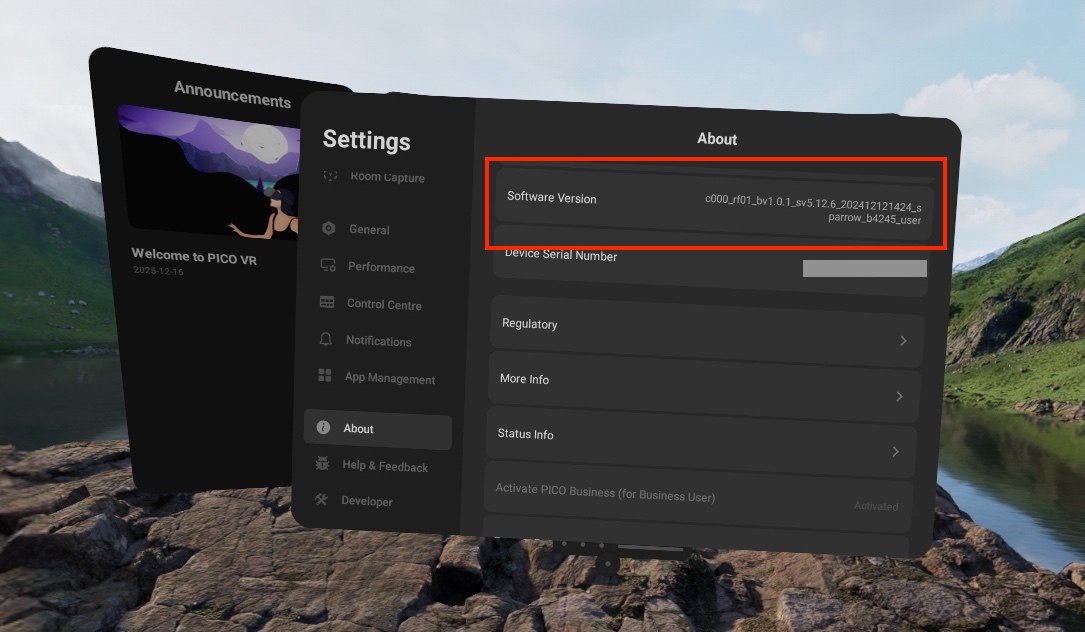
Select the "Settings" menu and scroll down to "About". Under the "About" menu, scroll to "Software Version".
-
Click “Software Version” at least 8 times until the “Developer” menu shows up on the left navigation bar.
-
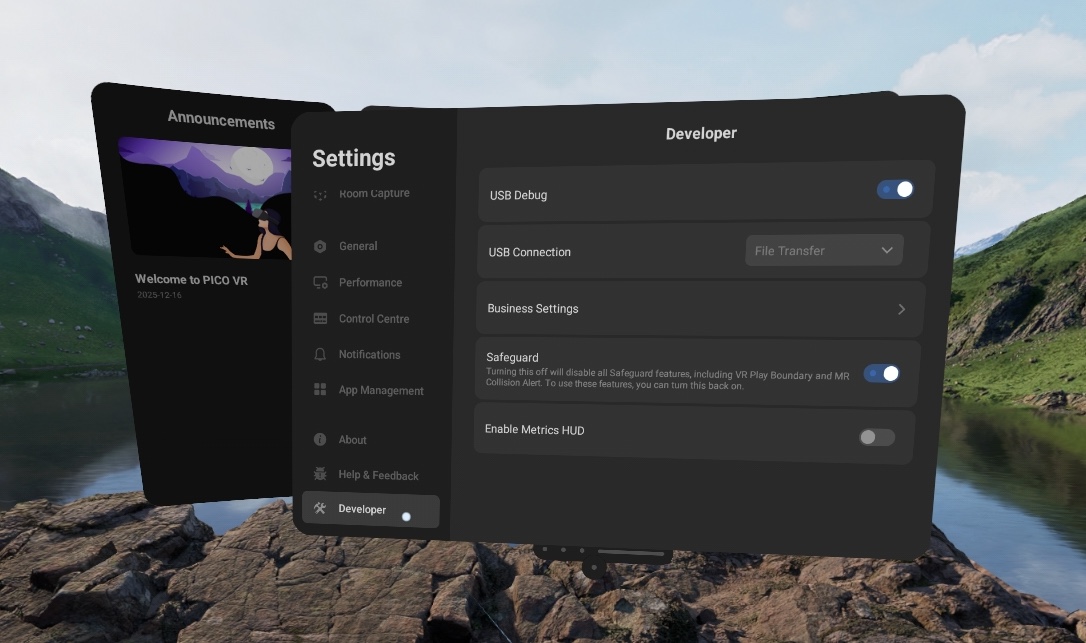
Click the “Developer” menu to find available developer options. You are now in "Developer Mode".
Questions and Support
If you have any issues, please contact our tech support team at [email protected]

